
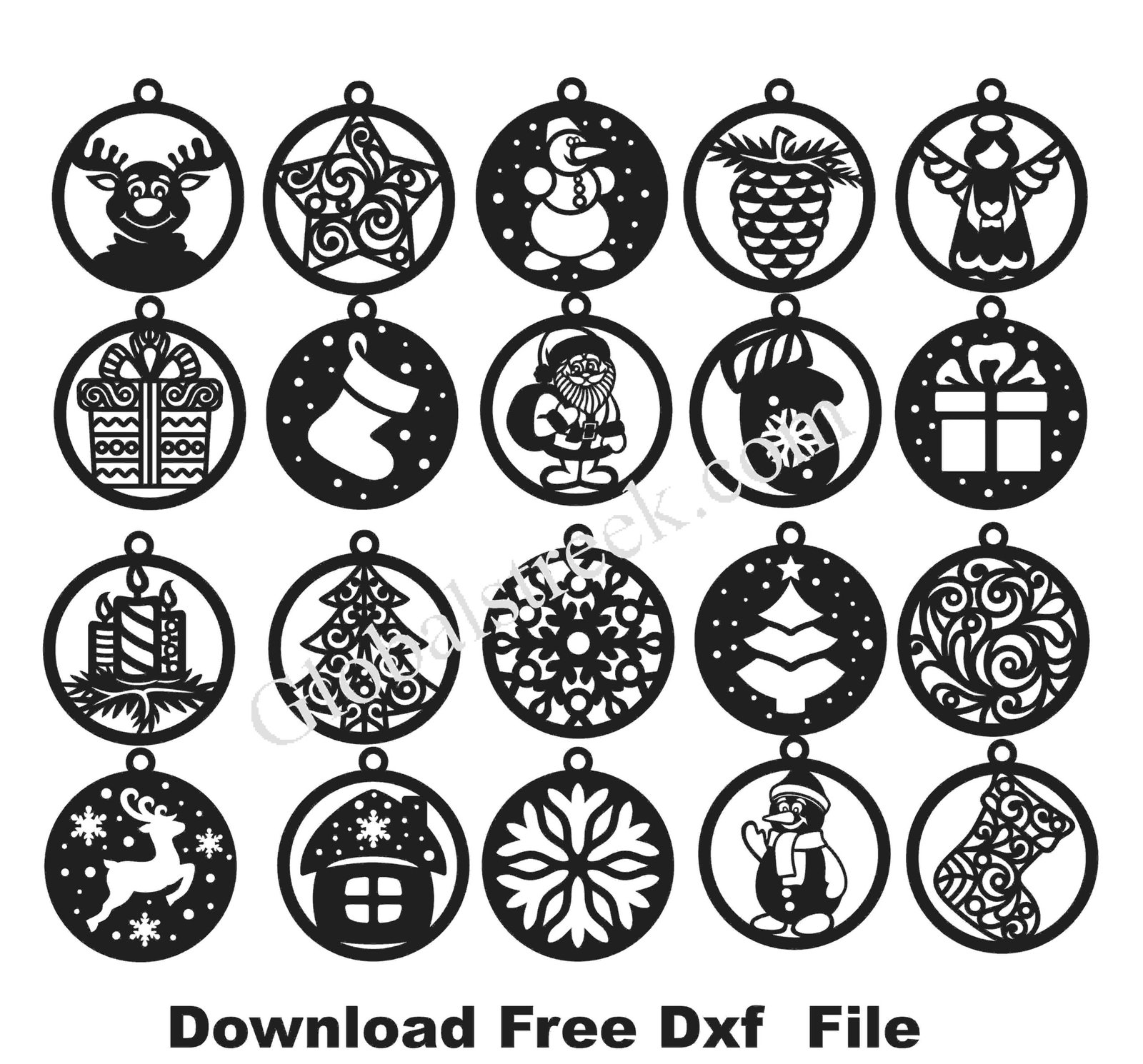
Winter is a magical time of the year. It’s the most wonderful time of the year to create stunning beautiful winter themed ornaments. This bundle has everything you need, so whether you want to create Christmas tree ornaments, window dcor, or other personalized gifts, this is perfect for laser cutting, CNC engraving, crafting, or creating unique decorations. Download the free DXF file to start crafting today.
Why Choose the Winter Bundle Ornament DXF Files?
✔ Best for Elegant Winter & Holiday Décor – Showcases snowflakes, Christmas trees, reindeer, stars, and many more.
✔ Works with Different Types of Materials – Great for wood, acrylic, metal, paper, and even leather.
✔ Compatible with Popular Cutting Machines – CO2 laser cutter, CNC Router, and Vinyl plotter.
✔ Customizable – Change or remove pieces and not worry about using quality.
Whats Included in the Free Winter Bundle DXF File?
This Winter DXF bundle includes a variety of festive ornament designs, such as:
❄ Frosty Touch Snowflake Ornaments : Intricately detailed classic designs.
🎄 Christmas Tree Ornaments: Traditional styles along with modern ones.
⭐ Star & Bell Designs: To create a something extra special for your Christmas decorations.
🦌 Reindeer & Winter Animals – Patterns which are rustic and elegant.
🏠 Winter House & Village Scenes – Decor at its “cozy” best for the holidays.
🎁 Customizable Gift Tags & Labels – Make tags and labels that friends and family can love.
Best Uses for Winter Ornament DXF Designs
🎄 Christmas Tree Hanging Ornaments – So distinctive and imaginative.
🏡 Home & Window Décor – For decoration of a particular winter season.
🎁 DIY Personalized Gifts – Engraved with names, dates, and holiday messages.
🔑 Keychains & Accessories – Fashionable souvenirs from winter creations.
🎨 Paper & Vinyl Cutting – Perfect for scrapbooking, cards, and gift tags.
How to Use the Winter Bundle Ornament DXF File for Laser Cutting?
Step 1: Download the Free DXF File
Acquire the winter ornament DXF bundle available for download, which is ideal for your design.
Step 2: Import The Design Into Your Laser Cutting Software
These softwares work best:
- LightBurn – Perfect when it comes to laser engraving and cutting.
- RDWorks – Is compatible with CO2 and CNC laser machines.
- CorelDRAW & AutoCAD – The designs could be edited or customized.
Step 3: Select Your Cutting Material
Choose the right material for your project:
- Wood, Acrylic, Metal, Paper.
- Change settings for power and speed for the laser to ensure a smooth and clean cut.
Step 4: Start Cutting & Customize Your Ornaments
- Test Cut Accuracy – Ensure design fidelity: Make sure details are cut out to perfection
- Paint, Polish & Decorate: Further embellish with glittering paint colors or engravings
Very often summing up is unavoidable.
A DXF Winter Bundle freebie will suit designers DIY and crafters looking to build fabulous winter decorations. These designs will add warmth and delight whether it is for Christmas ornaments, seasonal gifts, or holiday decor.
❄ Download Your Free Winter Ornament DXF Bundle and Start Crafting Today!
Make elaborate and delicate winter-themed ornaments with precision laser cutting. Get your handy file free for DXF right away! ✨

Leave A Comment