
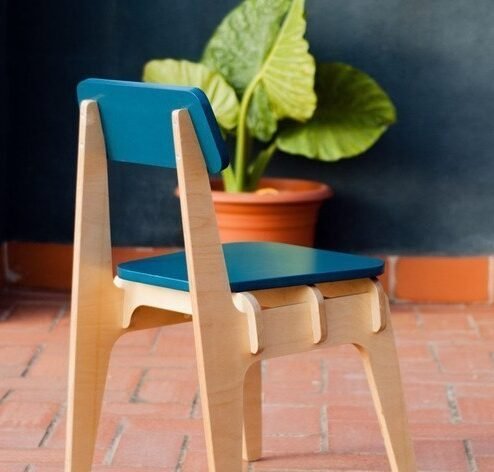
CNC (Computer Numerical Control) design is a fundamental component of today’s manufacturing. It enables individuals or businesses to create complex designs easily. If you want to stun your audience with your wooden, metallic, or plastic creations, mastering CNC design is what you need. In this post, we will explain to you the steps to create CNC designs in a simple manner.
Step 1: Choose the Right CNC Software.
Picking the appropriate software is the first step in completing any task, and the same goes for CNC designs. The following are some of the most popular software:
- AutoCAD – Best suited for elaborate 2D and 3D designs.
- Fusion 360 – A phenomenal option for parametric modeling, as well as, CAM integration.
- SolidWorks – Best for mechanical and industrial design.
- Vectric Aspire – Ideal for artistic woodworking CNC projects.
- Inkscape – An easy to use, free program for simple 2D vector graphics.
Step 2: Create a Digital Design
Step two is done after you preselected the software. You need to get started with designing the digital model of your design. Follow these procedures:
- Set your workspace dimensions to the capabilities of your CNC machine.
- Draw your design using vector drawing tools for the best results.
- Optimize your design to facilitate smooth machining by removing unnecessary details.
- Convert to the appropriate file format such as DXF, SVG or STL for compatibility with CNC machines.
Step 3: Generate the Toolpath
The toolpath defines the operations that will be performed on the CNC machine whether it is cutting, carving or engraving your design. This step involves:
- Picking the cutting tool which can be an end mill, V-bit or ball nose cutter.
- Opting the desired feed rate and spindle speed that ideally cuts the material.
- Setting strategies like pocketing, profiling or engraving for the cut.
- Playing back the toolpath to ensure it will be correct before doing any machining.
Step 4: Export G-Code
G-Code is the language CNC machines speak, so as soon as your toolpath is ready make sure to:
- Utilize software’s post-processor to create G-Code.
- Check that the code works on your specific CNC machine.
- Make sure there are no mistakes in the code before moving on.
Step 5: Load the Design into the CNC Machine
Copy the G-Code file onto a USB stick, SD Card or connect directly with the CNC machine. Then, be sure to:
- Position the material correctly on the CNC bed.
- Accuracy set the zero point of the machine’s X, Y, Z axis.
- Simulate a motion with no material running to see if there are issues.
Step 6: Operate the CNC Machine
As before, once everything is configured, run the machine and keep an eye on it. Take the following actions if needed:
- If the cutting is harsh, take a break and adjust the parameters.
- Clean up any leftovers and define the model.
- Put the product through a polish or sand it to make it more appealing.
Conclusion
Developing designs for CNCs requires a lot of creativity, meticulous technical work, and careful observation. Following these tips will greatly advance your CNC skills and enable you to create high-quality designs. Whether personal or commercial, CNC designs can be extremely advantageous to manufacturing and craftsmanship.
If you need more CNC design and machining guides, visit GlobalStreek.com.

Leave A Comment