
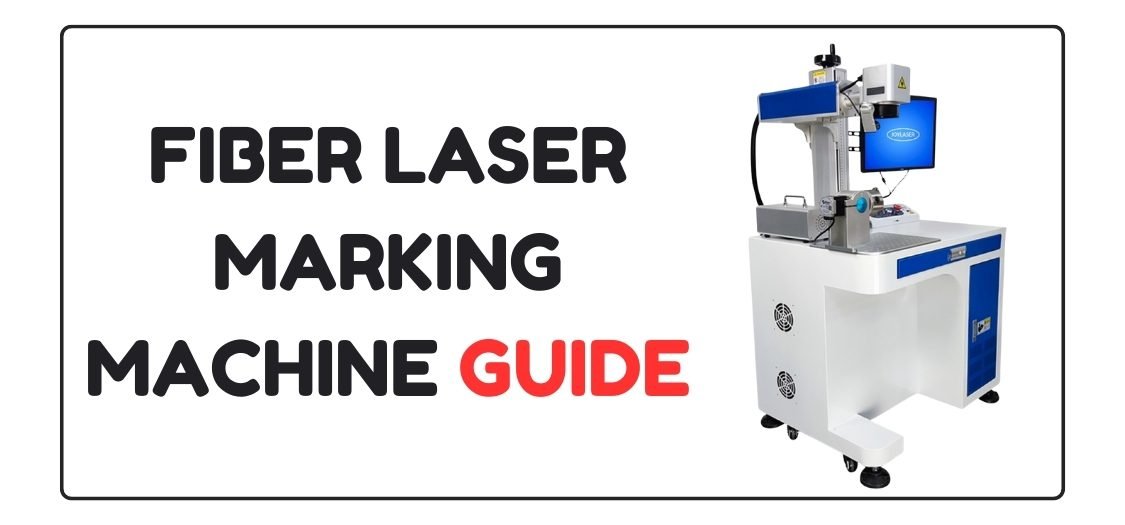
Fiber Laser Marking Machine: Complete Guide for Beginners & Professionals
Introduction to Fiber Laser Marking Machine
A fiber laser marking machine is one of the most powerful and accurate tools used for permanent marking, engraving, and light cutting on metal and selected non-metal materials. Industries like manufacturing, jewelry, electronics, signage, and custom gifting rely heavily on fiber laser technology because it delivers speed, precision, and long-term durability.
If you want clean text, sharp logos, barcodes, QR codes, or deep engravings, a fiber laser marking machine is the best choice.
Table of Contents
What Is a Fiber Laser Marking Machine?
A fiber laser marking machine uses a high-intensity laser beam generated through an optical fiber source. The laser reacts with the surface of the material and creates permanent marks without damaging the surrounding area.
Unlike CO₂ or diode lasers, fiber lasers work best on metals such as stainless steel, aluminum, brass, copper, gold, and silver.
Key Advantages of Fiber Laser Marking Machine
- High marking speed and accuracy
- Permanent and fade-proof marking
- No ink, no chemicals, no consumables
- Low maintenance and long lifespan
- Excellent for industrial and commercial use
Because of these benefits, the fiber laser marking machine has become the industry standard for metal engraving.
Materials Supported by Fiber Laser Marking Machine
A fiber laser marking machine works perfectly on:
- Stainless steel
- Mild steel
- Aluminum (anodized and raw)
- Brass and copper
- Gold and silver
- Titanium
- Some coated plastics
This wide compatibility makes it ideal for both mass production and custom laser work.
Software Used with Fiber Laser Marking Machine
To operate a fiber laser marking machine smoothly, you need compatible software. The most commonly used software includes:
- EZCAD (most popular and industry standard)
- LightBurn (supported by some fiber controllers)
- CorelDRAW (for design preparation)
- AutoCAD (technical drawings and layouts)
Designs are created in graphic software and then imported into laser software for marking or engraving.
Supported File Formats
Most fiber laser marking machines support the following file formats:
- DXF – best for technical and CNC-style designs
- CDR – CorelDRAW native format
- AI – Adobe Illustrator
- SVG – vector-based scalable designs
- PLT – plotter format
These formats are widely used in professional laser design workflows.
Ready-to-Use Laser Design Files
If you don’t want to create designs from scratch, GlobalStreek.com is a great resource. The website offers free and premium laser cutting and marking design files that are:
- Ready to download
- Optimized for laser engraving and marking
- Available in DXF and CDR formats
- Suitable for fiber laser, CO₂ laser, and CNC machines
These files help save time and allow you to start marking or engraving immediately without design errors.
Fiber Laser Marking Machine Price Range (Basic Overview)
The price of a fiber laser marking machine depends on power, brand, and features.
Approximate price range:
- 20W fiber laser marking machine: Entry-level use
- 30W to 50W fiber laser marking machine: Professional and industrial use
Higher watt machines offer deeper engraving and faster speed. A detailed comparison and buying guide will be covered in the next topic, as promised.
(FAQ)
Q1. What is the main use of a fiber laser marking machine?
A fiber laser marking machine is mainly used for permanent marking and engraving on metal surfaces, including logos, serial numbers, QR codes, and designs.
Q2. Can a fiber laser marking machine cut metal?
Yes, but only thin metal sheets. Fiber laser marking machines are designed primarily for marking and engraving, not heavy cutting.
Q3. Which software is best for fiber laser marking machine?
EZCAD is the most commonly used software. LightBurn is also popular with supported controllers.
Q4. Are DXF and CDR files supported in fiber laser machines?
Yes, DXF and CDR are widely supported and recommended formats for accurate laser marking and engraving.

Leave A Comment