
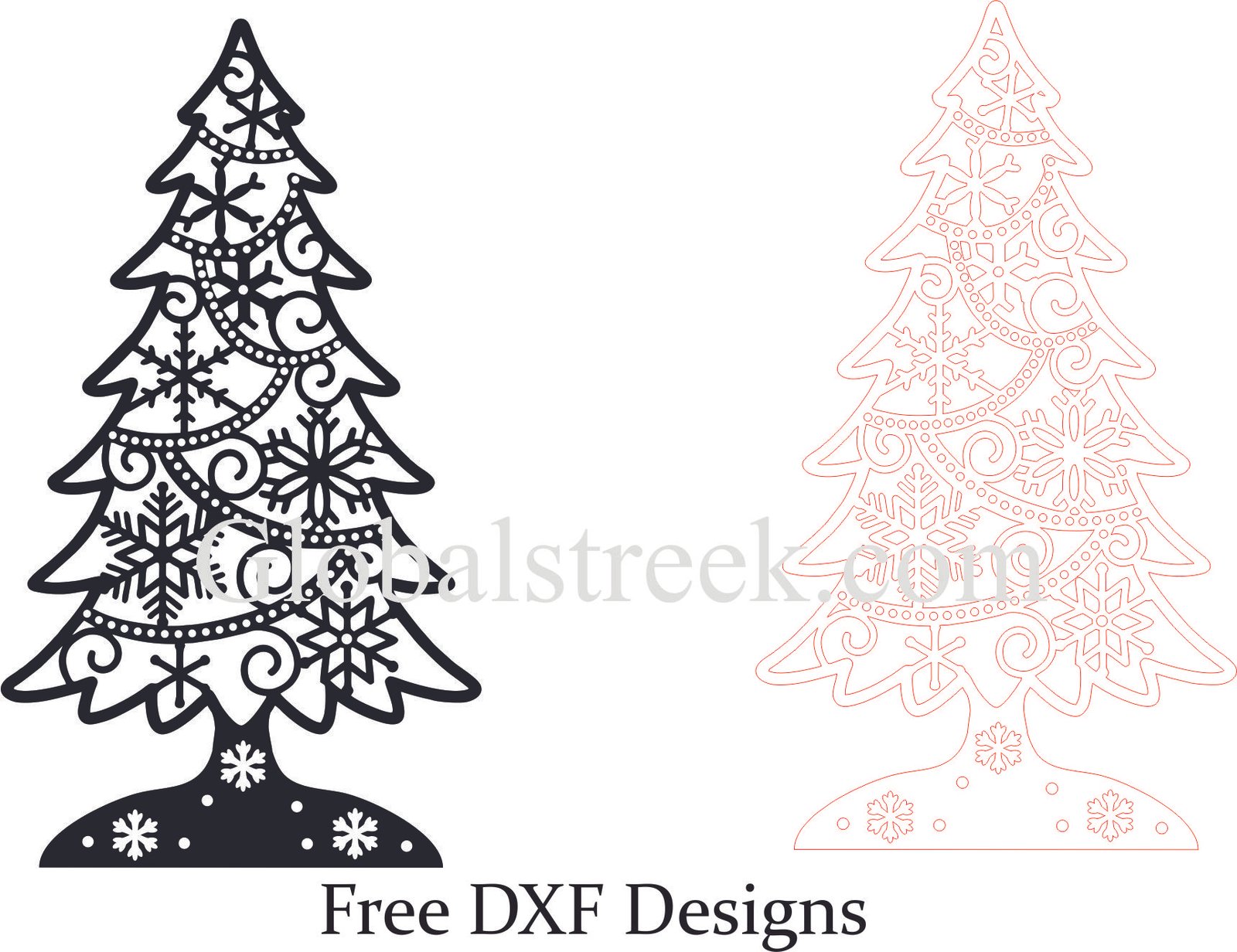
During the holidays, everyone seems to have the urge to roll up their sleeves and get busy with DIY creative projects and Christmas tree decorations stand out as the key piece of festive decorations. MDF laser cut ornaments not only make stylish decorations and gifts, but also enhance the look of your home during the holidays. This article outlines everything you need to know about MDF Christmas tree ornaments’ benefits, how to utilize free DXF design files, and the best places for downloading them for your next project.
Reasons Christmas Tree Ornaments Should Be Made from MDF
MDF is one of the best materials when it comes to laser cutting for Christmas tree ornaments because it is:
- Perfect Base for Engraving: Smooth surface will make engraving and cutting out complicated details a breeze.
- Cost Efficient: More affordable than solid wood.
- Sturdy: Strong enough to withstand breaking while handling delicate patterns.
- Unique: Can add a layer of paint or stain for a creative festive vibe.
Free Christmas Tree DXF Files for the Ornament
Some popular designs add personality and flair to any holiday themed gathering. Ready to cut vector designs are specially made for CNC and laser cutting machines. They include:
- Classic Christmas Trees: Regular shapes of trees with elegant touch to them.
- Layered 3D Trees: Great for showing off with their multi layered 3D structures.
- Snowflake Inspired Trees: Strict nature patterns on trees that resemble snowflakes.
- Personalized Name Ornaments: Ornaments with adjustable areas for messages and names.
- Hanging Bauble Trees: Miniature baubles are encapsulated in an ornament for design purposes.
How to Use Free DXF Christmas Tree Ornament Files
Step 1: Download the DXF File
While picking a DXF file be sure to select one that is of high quality and meets the standards of your project. Also ensure that it is suitable for your laser cutter as well as the preferred thickness of the material.
Step 2: Import the Design into Laser Cutting Software
Using your laser cutter software, open the DXF file in the following:
- LightBurn: Best for laser engraving and cutting.
- RDWorks: Common usage with CO2 laser machines.
- CorelDRAW or AutoCAD: Helpful for making edits to vector designs.
Step 3: Adjust Cutting and Engraving Settings
- Material Choice: Plywood, acrylic, or MDF can be used.
- Laser Power & Speed: Set MDF thickness and laser wattage accordingly.
- Finishing Touches: Consider assembling layered designs and painting or staining it post processing for MDF.
Step 4: Cut and Assemble Your Ornament
Load the MDF sheet and position the design. If everything is set, begin the laser cutting process. After cutting is complete, decorate, paint, or smooth edges and set hooks or ribbons for hanging.
Conclusion
Making your unique and textured MDF Christmas tree ornaments with a DXF template is a pleasant way to customize festive decorations.
Custom decorations will elevate your home, gift ideas, or your business when selling handcrafted items. The results of these laser-cut designs are simply stunning. Download your Christmas tree ornament DXF file today for free and start making gorgeous decorations!
Start today by downloading your DXF design file for free!
Make the most out of this Christmas selling unique laser-cut ornaments. Download the design and start making one-of-a-kind decorations today!

Leave A Comment